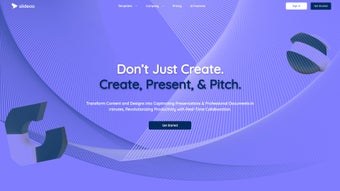

Download Slideoo – Collaborative Presentation Creation, Free Templates, Real‑Time Editing
Overview
Slideoo is a cloud‑based SaaS platform that transforms the traditionally labor‑intensive process of building slide decks into a fast, collaborative, and visually appealing experience. Designed for business professionals, educators, marketers, and creative teams, Slideoo lets users generate a polished presentation from plain text, PDF files, or even a website URL in just one to two minutes. The AI engine behind the service automatically extracts key points, matches them with suitable layouts, and populates the slides with appropriate visuals, eliminating the need for manual copy‑and‑paste or endless searching for the right chart.
What truly differentiates Slideoo from generic slide makers is its exclusive library of in‑house themes and templates. These handcrafted designs span categories such as Business Strategy, Academic Lectures, Startup Pitch, and Creative Portfolios, ensuring that every deck feels purpose‑built and audience‑ready. Collaboration sits at the core of Slideoo’s DNA: multiple users can edit a deck simultaneously, leave comments, brainstorm ideas in real time, and instantly share a live link with stakeholders.
The platform’s intuitive drag‑and‑drop interface, coupled with AI‑assisted content generation, makes it a cost‑effective solution for teams that need to produce high‑impact presentations without the steep learning curve of traditional design software. Security is baked in, with AES‑256 encryption at rest and TLS 1.3 in transit, while automatic cloud updates guarantee you always have the latest features and template additions. Whether you’re a solo entrepreneur racing against a deadline or a large organization standardizing its brand voice, Slideoo delivers a secure, up‑to‑date, and cross‑platform environment for all your presentation needs, all while keeping the pricing model transparent and flexible for both free and premium users.
Core Features & Design Library
Feature Highlights
- AI‑Powered Slide Generation – Convert text, PDFs, or URLs into full‑featured decks in 60‑120 seconds.
- Exclusive In‑House Templates – Over 200 professionally designed themes covering Business, Education, Creative, and more.
- Real‑Time Collaboration – Simultaneous editing, commenting, and live chat for teams of any size.
- Custom Branding – Upload logos, define colour palettes, and apply brand fonts across all slides automatically.
- Multi‑Format Export – Download presentations as PowerPoint (.pptx), PDF, or share a secure web link.
- Version History & Undo – Track changes, revert to earlier versions, and keep a clean audit trail.
- Integrated Media Library – Access royalty‑free images, icons, and vector illustrations directly inside the editor.
- Presentation Analytics – Monitor viewer engagement, slide‑by‑slide time, and feedback through built‑in analytics.
Each template in Slideoo’s library is handcrafted by a team of graphic designers who understand visual hierarchy, colour theory, and storytelling. The designs range from minimalist, data‑driven layouts ideal for boardroom decks to bold, image‑heavy templates perfect for creative pitches. Because the templates are built in‑house, they are not found on other platforms, giving Slideoo users a unique edge in visual differentiation.
The AI engine doesn’t just paste text onto slides; it intelligently suggests appropriate charts, infographics, or iconography based on the content’s context. For example, a paragraph about market growth will automatically trigger a line‑chart suggestion, while a list of product features may be transformed into a clean icon‑grid. This feature saves countless hours that would otherwise be spent hunting for the right visual representation.
Moreover, the platform supports multilingual content generation, allowing users to produce decks in over 30 languages while preserving design consistency. Additional advanced features such as slide‑level animation presets, conditional formatting for data tables, and a dark‑mode editor cater to power users who demand fine‑grained control. Together, the powerful automation, a rich template ecosystem, and collaborative tools make Slideoo a truly all‑in‑one solution for modern presentation creation.
Collaboration, Installation & Compatibility
Working Together Seamlessly and Getting Started Quickly
Collaboration is often the bottleneck in presentation projects, especially when teams are distributed across time zones. Slideoo eliminates that friction by offering a cloud‑native workspace where every edit is saved instantly and visible to all participants in real time. Users can invite teammates via email or share a unique edit link that respects role‑based permissions—view‑only, comment, or full edit access.
The built‑in comment system is context‑aware; you can attach feedback directly to a specific slide or element, ensuring that discussions stay focused and actionable. A live chat pane sits on the side of the editor, allowing quick brainstorming without switching to external messaging apps. When a team member makes a change, a subtle notification appears, and the revision is logged in the version history, making it easy to track contributions and revert if needed.
From a workflow perspective, Slideoo integrates with popular productivity suites such as Google Workspace, Microsoft 365, and Slack. You can pull content from Google Docs, embed live Excel charts, or push the final deck to a shared Slack channel with a single click. The platform also supports single sign‑on (SSO) via SAML and OAuth, which is essential for enterprise security compliance.
For project managers, the dashboard provides an overview of active decks, upcoming deadlines, and pending approvals, turning presentation creation into a transparent part of the broader project lifecycle.
Because Slideoo is a web‑based SaaS solution, there is no traditional installation process. Users simply sign up at slideoo.com, verify their email, and gain immediate access to the editor through any modern browser. The platform is optimized for Chrome, Edge, Firefox, and Safari, with a responsive design that adapts to tablets and smartphones. For teams that prefer a native experience, Slideoo offers progressive web‑app (PWA) wrappers for Windows, macOS, iOS, and Android, allowing you to launch the editor from your desktop or home screen while still benefiting from automatic cloud updates.
Operating System Compatibility (itemprop="operatingSystem"): Windows 10/11, macOS 12+ (Monterey and later), Linux distributions with a recent Chromium‑based browser, iOS 14+, and Android 9+. The service requires a minimum internet connection of 2 Mbps for smooth real‑time collaboration, though higher bandwidth is recommended for large media assets. All data is stored encrypted at rest (AES‑256) and in transit (TLS 1.3), meeting industry‑standard security protocols.
Because Slideoo runs entirely in the cloud, updates are deployed automatically without any user intervention—new features, bug fixes, and template additions appear instantly across all devices. This “always‑up‑to‑date” model ensures that you never miss out on the latest design trends or AI improvements. For organizations with strict data residency requirements, Slideoo offers regional data centres in North America, Europe, and Asia‑Pacific.
Admins can select the preferred region during account provisioning, guaranteeing compliance with GDPR, CCPA, and other privacy regulations. In addition, the platform provides export options that allow you to back up your decks locally in encrypted ZIP files, giving you full control over your intellectual property.
Pros, Cons & Frequently Asked Questions
Strengths and Weaknesses
- Lightning‑fast AI slide generation saves time on content creation.
- Exclusive, high‑quality template library not found on competing platforms.
- Robust real‑time collaboration with comment threads and version history.
- Seamless integrations with Google Workspace, Microsoft 365, and Slack.
- Cross‑platform accessibility via browser, PWA, and mobile web.
- Strong security with end‑to‑end encryption and regional data centres.
Weaknesses
- Reliance on an internet connection; offline editing is limited to PWA cache.
- Advanced custom animation features are less extensive than PowerPoint.
- Free tier caps the number of exported decks per month.
- Learning curve for AI suggestions may require initial fine‑tuning.
- Large media files can increase load times on slower networks.
Frequently Asked Questions
How does Slideoo generate slides from a URL?
When you paste a website URL, Slideoo’s crawler extracts headings, paragraphs, images, and meta data. The AI then maps the extracted content to the most suitable slide layouts, automatically adding charts or icons where relevant. The whole process usually completes within two minutes, after which you can edit the draft to match your style.
Can I use my own branding in the templates?
Yes. Slideoo lets you upload brand assets such as logos, colour palettes, and custom fonts. Once saved, these assets are automatically applied to any template you choose, ensuring brand consistency across all slides.
Is there a free version of Slideoo?
Slideoo offers a free tier that includes access to a limited set of templates and up to three exported decks per month. For unlimited exports, premium templates, and advanced collaboration features, you can upgrade to the Pro or Enterprise plans.
How secure is my data on Slideoo?
All data is encrypted at rest with AES‑256 and transmitted over TLS 1.3. Slideoo also complies with GDPR, CCPA, and provides regional data‑center options for enterprises needing specific data residency.
Can I export a Slideoo deck to PowerPoint?
Absolutely. Slideoo supports one‑click export to .pptx, PDF, or a shareable web link. The exported PowerPoint file retains most formatting, animations, and embedded media, allowing you to continue editing offline if needed.
Conclusion & Call to Action
Slideoo positions itself as a modern, AI‑enhanced alternative to traditional slide‑building software. By combining ultra‑fast content generation, a unique library of in‑house templates, and real‑time collaboration tools, it solves many of the pain points that teams face when creating presentations under tight deadlines. The platform’s cloud‑first architecture ensures you always work with the latest features without manual updates, while the strong security posture—AES‑256 encryption, TLS 1.3, and regional data‑center options—keeps your proprietary information safe.
Although an internet connection is mandatory and some advanced animation capabilities are limited compared with legacy desktop tools, the overall value proposition—especially for remote or cross‑functional teams—is compelling. The free tier provides enough functionality for occasional users, and the scalable pricing plans make it easy for growing businesses to add seats and unlock premium templates. If you’re looking to reduce the hours spent on slide design, maintain brand consistency, and enable seamless teamwork, Slideoo is worth a trial.
Start with the free plan today, explore the premium templates, and experience how quickly a professional deck can be assembled. Download Slideoo now and transform your presentation workflow.



.png)



